First, you’ll need an iPhone and access to a computer.
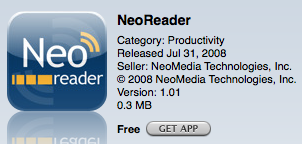
Next, download a reliable 2D barcode reader from the App store. I have been using the NeoReader and it seems to work well.
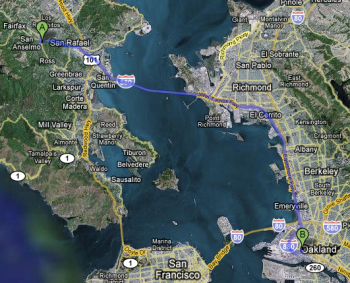
Select your route in Google Maps. I have chosen a route between Marin Coffee Roasters (great coffee) and The Crucible (great welding classes).
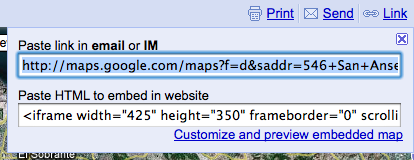
Select the ‘Link’ option in the upper right corner of your Google Map and copy the link to your clipboard.
Open the Kaywa QR-Code Generator (my new favorite) and select the URL option. Paste the Link you obtained from Google Maps into the URL box and select ‘Generate’.
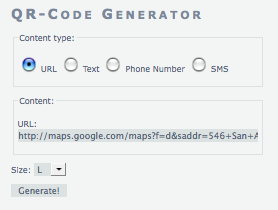
You will now see a large QR Code which contains your Google Map route. (I recommend using the large size if you are trying to take a picture of the image on your computer screen.)
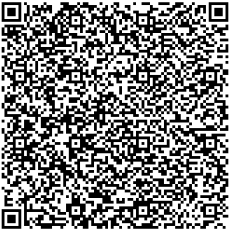
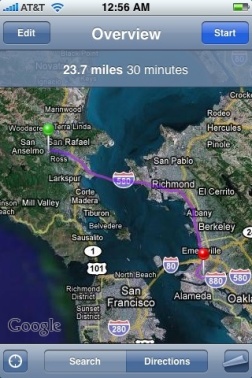
Take a photo of the QR Code with the NeoReader on your iPhone. The NeoReader will ask you if you want to use the photo, select ‘Use Photo’ the select ‘Continue’. Your iPhone will first open Safari but once it recognizes that the QR Code content is a Google Map Link it should automatically open the Google Map App and plot the same course. Here is my route on my iPhone’s Google Map App which you can compare against the mapped route above:
While this may not prove incredibly useful for the humanitarian community it does show that with a few simple tools useful data can be easily embeded into a small image in a matter of minutes by even the most inexperienced user.
{ 5 comments… read them below or add one }